Editing a Table
Change a time, fee or name, add a row, or paste rows from a spreadsheet into a table on your site.
Transcript
Tables show rows and columns, such as tryout dates, fees, rosters or standings. Visitors can sort columns, and you can add a search box.
Edit cells or add rows
- Open the page in Beaver Builder and click the table.
- On the Content tab, open Table data.
- Click a cell to edit it, or add a row.
- For a larger table, click Open a larger editor.
- Publish the page.
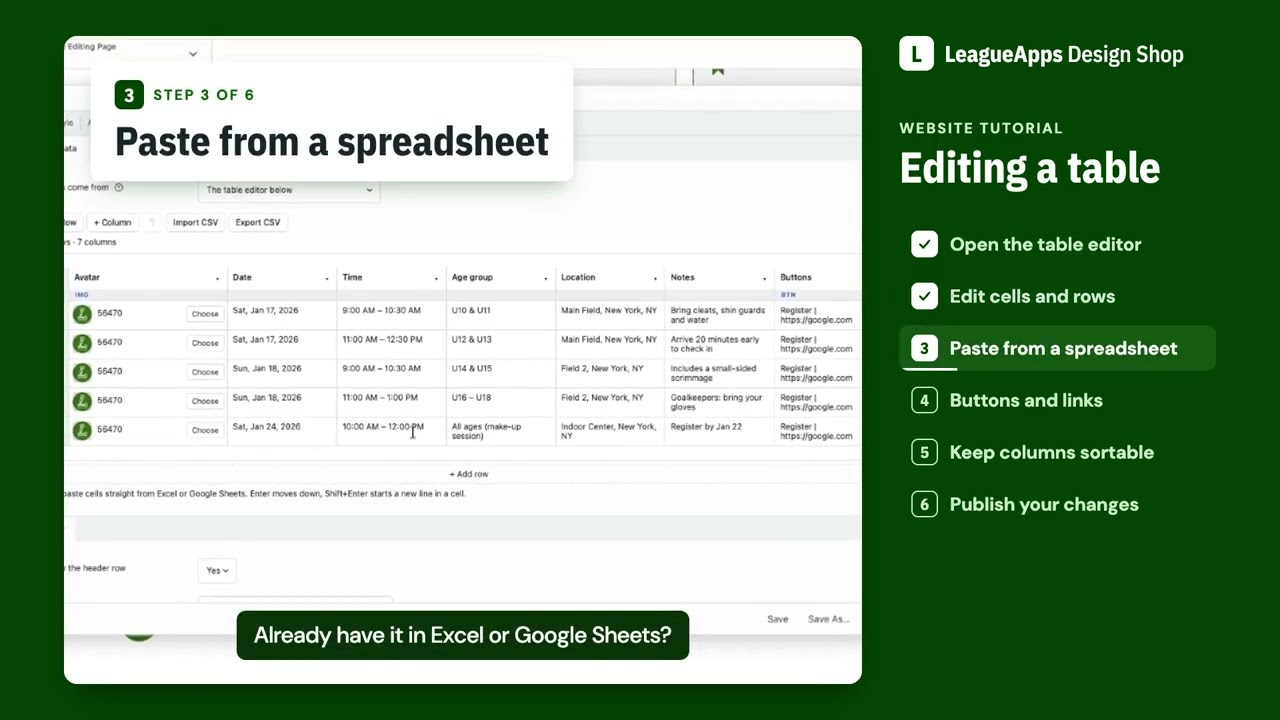
Paste from a spreadsheet
- Copy the rows in Excel or Google Sheets.
- In Table data, click the first cell and paste. Rows and columns land in the grid.
Button, link and image columns
- Open a column’s menu and set Type to Button, Link or Image.
- In Button and Link cells, write the label, a straight line, then the address:
Register | https://.... With no label, the column heading is used. - In Image cells, click Choose an image or paste a web address.
Other options
- Hide on phones (in the column menu) hides a column on small screens. It is still in the page, so don’t use it to hide private details.
- Turn on Show a search box and Show the row count for long tables.
- Turn web addresses and emails into links makes plain addresses clickable.
Tips
- Columns sort by what the cells look like. One “TBA” in a date or price column makes it sort as text. Write every cell the same way.
- Every Button and Link cell must go to a real page. Replace any sample Register links that go to google.com.
- Rename or clear sample column headings like “Avatar” or “Buttons”.
- Give the table a name for screen readers.
Contact Design Shop for
The table’s look (preset, colors, borders), link color, and how the table appears on phones.