
Ninja Tables Pro: The Smarter Way to Build Tables
Learn how to use Ninja Tables Pro to create responsive, sortable tables — and why it outperforms TablePress on every front.

Ninja Tables Pro is a modern, mobile-friendly table plugin for WordPress. It lets you display organized data — rosters, schedules, commitment lists, price tables — in a clean, professional format that works on any device. If your site previously used TablePress, Ninja Tables Pro can import those tables directly, so you don’t have to start from scratch.
Why Ninja Tables Pro Instead of TablePress?
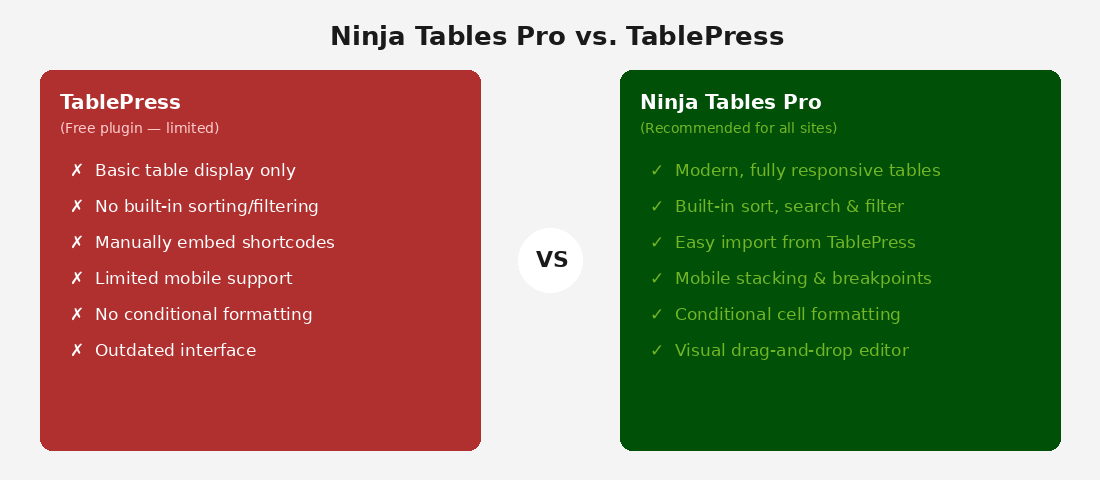
TablePress is limited to basic table display with no built-in sorting, filtering, or mobile optimization. Ninja Tables Pro solves all of that:
- Responsive by default — tables adjust automatically on phones and tablets
- Built-in sorting and search — visitors can click column headers to sort or type to filter
- Visual drag-and-drop editor — no spreadsheet-only interface
- Conditional formatting — highlight rows or cells based on values automatically
- Import from CSV or Google Sheets — bring in data without retyping
How to Create a Table
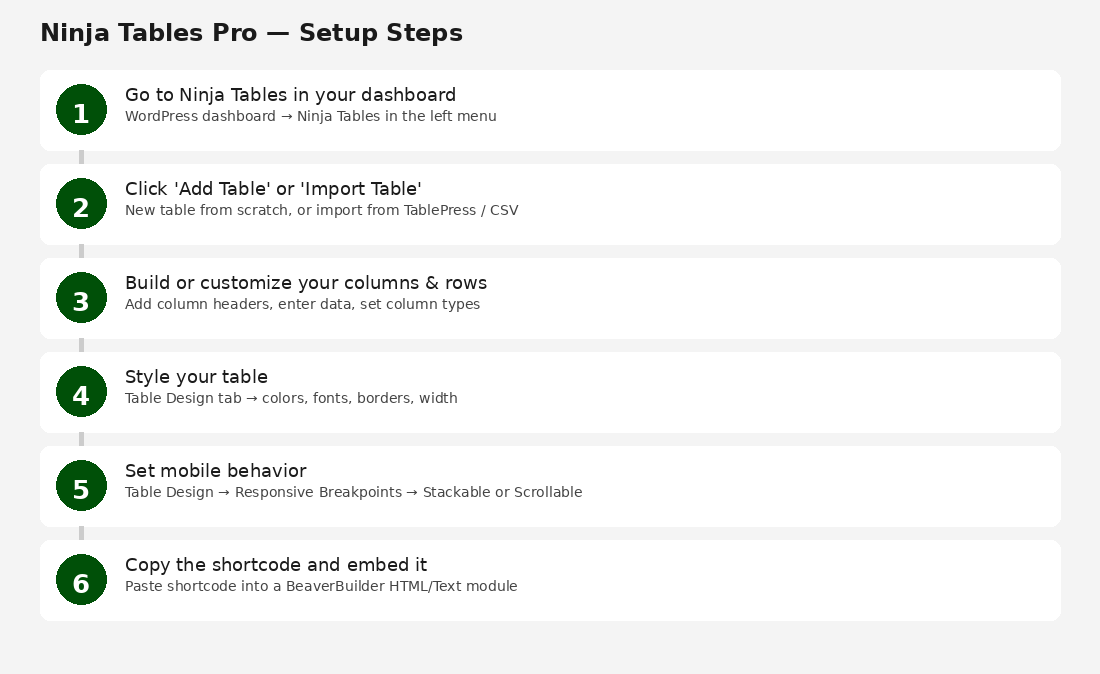
- In your WordPress dashboard, click Ninja Tables in the left menu.
- Click Add Table in the top-right corner.
- Give your table a name and click Create Table.
- Add columns by clicking the + button and name each one (e.g., Name, Position, Phone).
- Add rows by clicking + Add Row, then enter your data in each cell.
- Set column types (Text, Email, Link, Image) to control how data displays and sorts.
How to Style Your Table
Click the Table Design tab at the top of the editor. From here you can:
- Change background and text colors to match your site branding
- Adjust column widths
- Turn striped rows on or off
- Add or remove borders between cells
Setting Mobile Behavior
Under Table Design, find the Responsive Breakpoints section. Choose one option:
- Stackable Table — converts each row into a vertical card on mobile. Best for rosters and staff listings.
- Scrollable Table — keeps the table horizontal with sideways scrolling. Works well for schedules with many columns.
- Hide Specific Columns — hides less important columns on small screens.
Embedding the Table on a Page
After saving your table, copy the shortcode shown next to the table title — for example: [ninja_table id=”3″]
Open the page where you want the table to appear. In BeaverBuilder, add an HTML Module and paste the shortcode inside it. Publish the page to see the table.
Note: The shortcode will show as plain text inside the BeaverBuilder editor — this is normal. Use the Preview button to see the live table.
Importing Tables from TablePress
- Go to Ninja Tables > Import Table.
- Select TablePress from the import source dropdown.
- Check the tables you want to import and click Import.
- Review the imported table — data transfers over, but you’ll want to re-apply styling.
- Replace old TablePress shortcodes (e.g., [table id=3 /]) on your pages with the new Ninja Tables shortcode.
Best Practices
- Keep column headers short — 1 to 3 words works best on mobile.
- Enable Search/Filter for any table with more than 10 rows.
- Test on your phone before publishing — stackable mode may need adjustments.
- Use descriptive table names in Ninja Tables (not just “Table 1”).
- Avoid more than 6 to 7 columns in a single table if possible.

